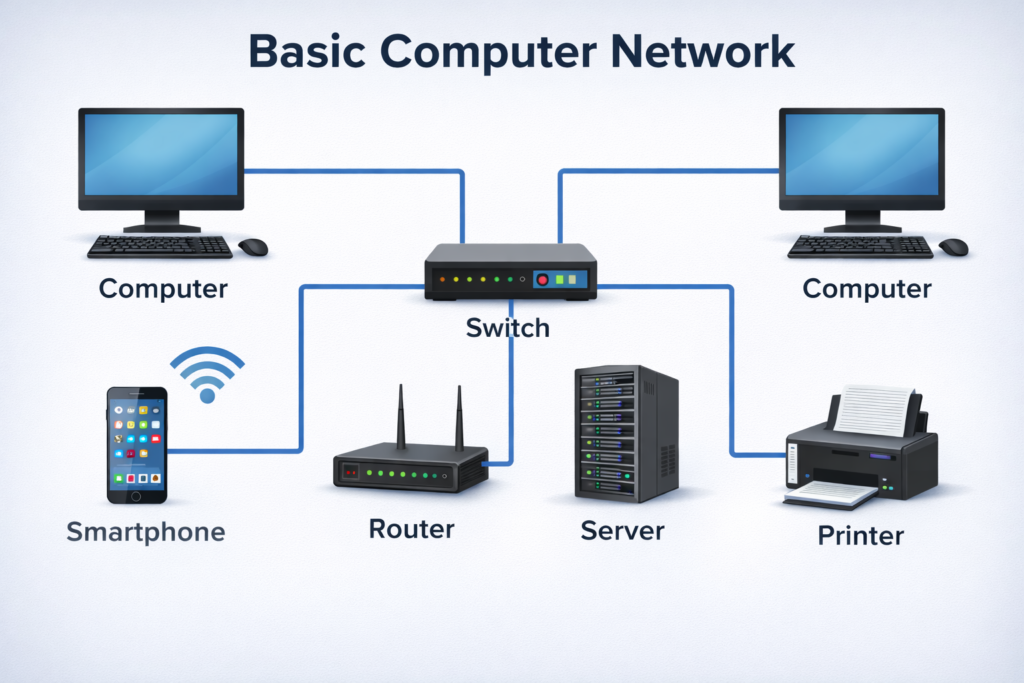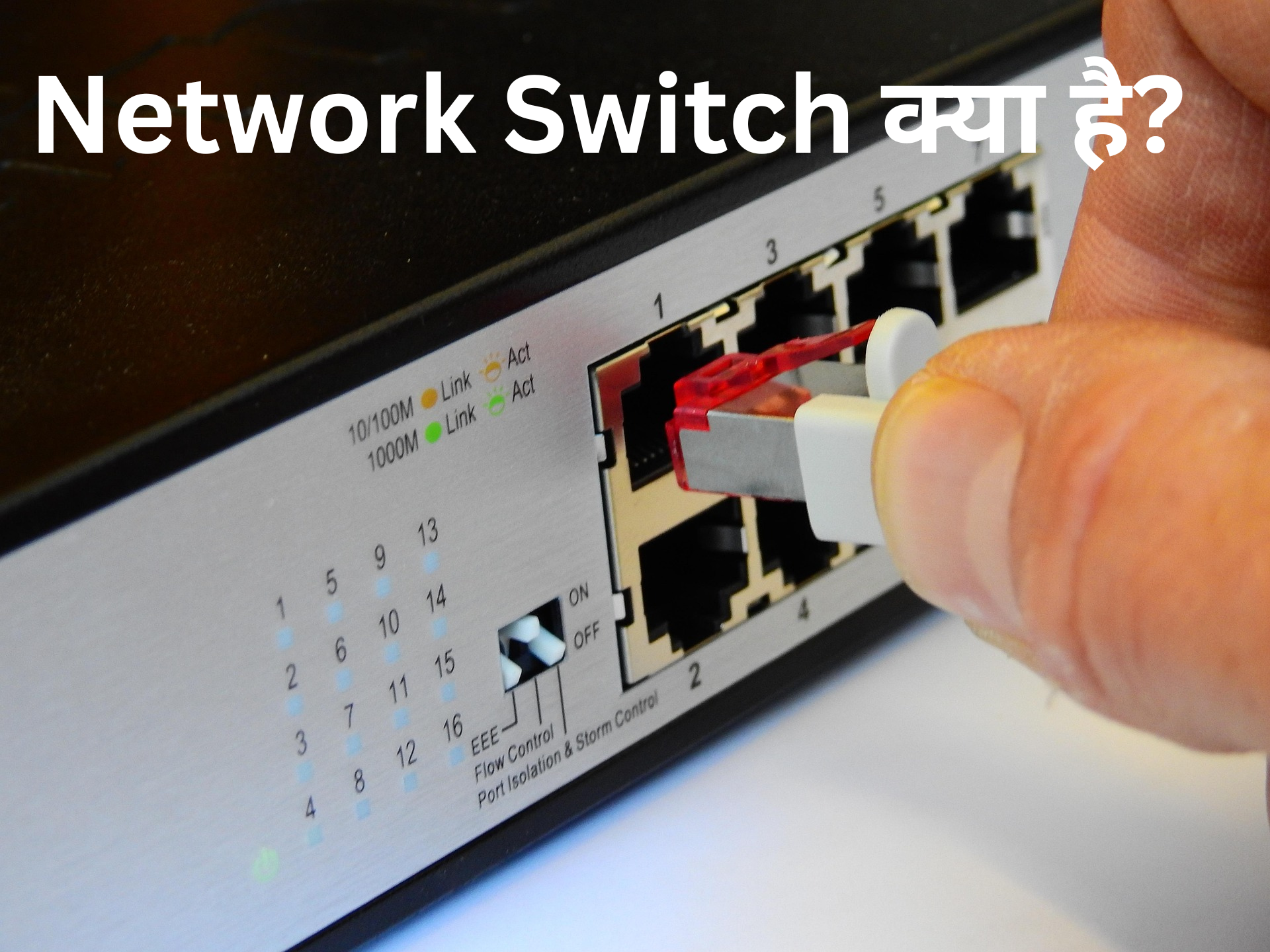
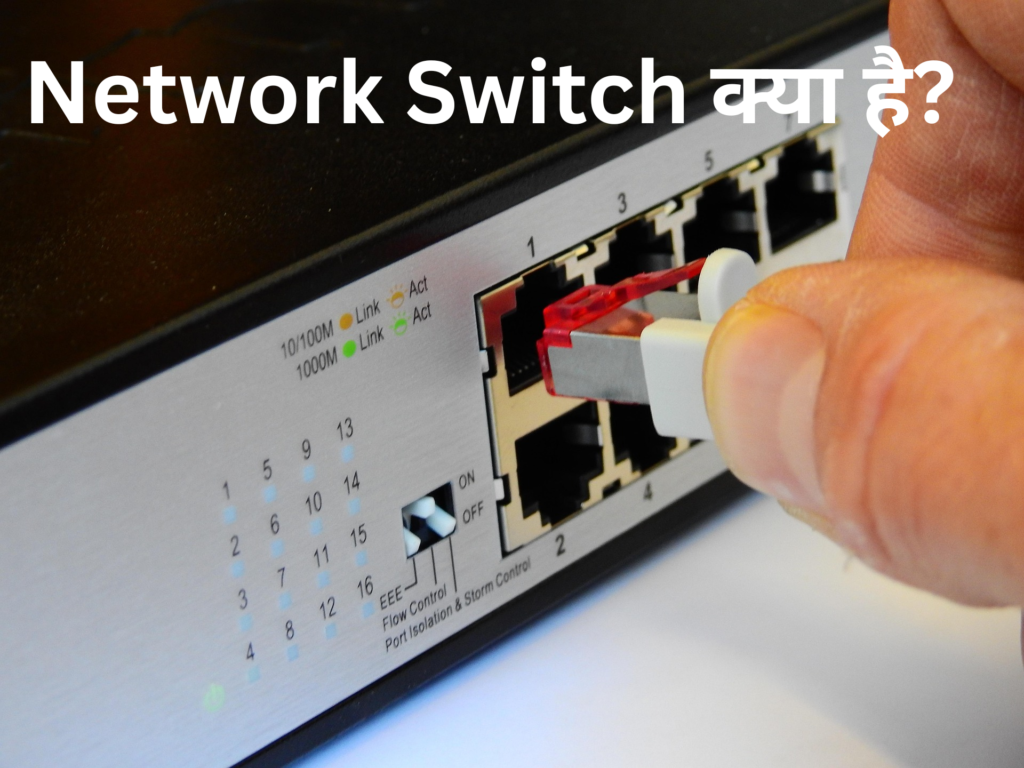
Network Switch एक networking device है जो Local Area Network (LAN) में multiple devices को आपस में connect करता है। जैसे computer, printer, server और IP phone—all devices switch के through एक-दूसरे से communicate करते हैं। Switch मुख्य रूप से Data Link Layer (Layer 2) पर काम करता है और MAC Address के आधार पर data को सही destination तक भेजता है।
जब कोई device data भेजता है, तो वह data एक frame के रूप में switch तक पहुँचता है। Switch उस frame के source MAC address को सीखता है और अपनी MAC address table में store करता है। इसके बाद जब future में data आता है, तो switch destination MAC address को check करके केवल उसी port पर data forward करता है जहाँ target device connected होता है। इससे network में unnecessary traffic कम होता है और performance बेहतर होती है।
Switch hub से ज्यादा intelligent होता है, क्योंकि hub सभी ports पर data broadcast कर देता है, जबकि switch केवल required device को data भेजता है। Modern switches full-duplex communication और high-speed Ethernet (Gigabit) support करते हैं।
इस प्रकार, Network Switch एक efficient और reliable device है जो LAN को fast, secure और organized बनाता है।
Concept of Network Switch
Network Switch एक important networking device है जो Local Area Network (LAN) में multiple devices को connect करता है। यह mainly OSI Model के Data Link Layer (Layer 2) पर काम करता है और data को MAC Address के आधार पर forward करता है।
Simple शब्दों में, switch एक intelligent device है जो data को केवल उसी device तक भेजता है जिसे वह data चाहिए। पहले hub का use होता था, जो data को सभी ports पर broadcast कर देता था, जिससे network congestion और collision की समस्या बढ़ जाती थी। लेकिन switch इस समस्या को solve करता है।
Switch जब किसी device से frame receive करता है, तो वह सबसे पहले source MAC address को learn करता है और अपनी MAC Address Table में store कर लेता है। फिर वह destination MAC address को check करता है। अगर address table में मिल जाता है, तो switch frame को सीधे उसी specific port पर forward कर देता है। अगर नहीं मिलता, तो वह frame को flood करता है।
Switch full duplex communication support करता है, जिससे data simultaneously send और receive हो सकता है। यह network performance को improve करता है और collision को कम करता है।
आज के modern LAN में switch backbone की तरह काम करता है और fast, secure तथा reliable communication provide करता है।
Network Switch की मुख्य विशेषताएं
- MAC Address Learning – Switch automatically devices के MAC address को learn करता है।
- Full Duplex Communication – Data एक ही समय में send और receive हो सकता है।
- Collision Free Communication – हर port अलग collision domain होता है।
- High Speed Data Transfer – Gigabit और 10 Gigabit support करता है।
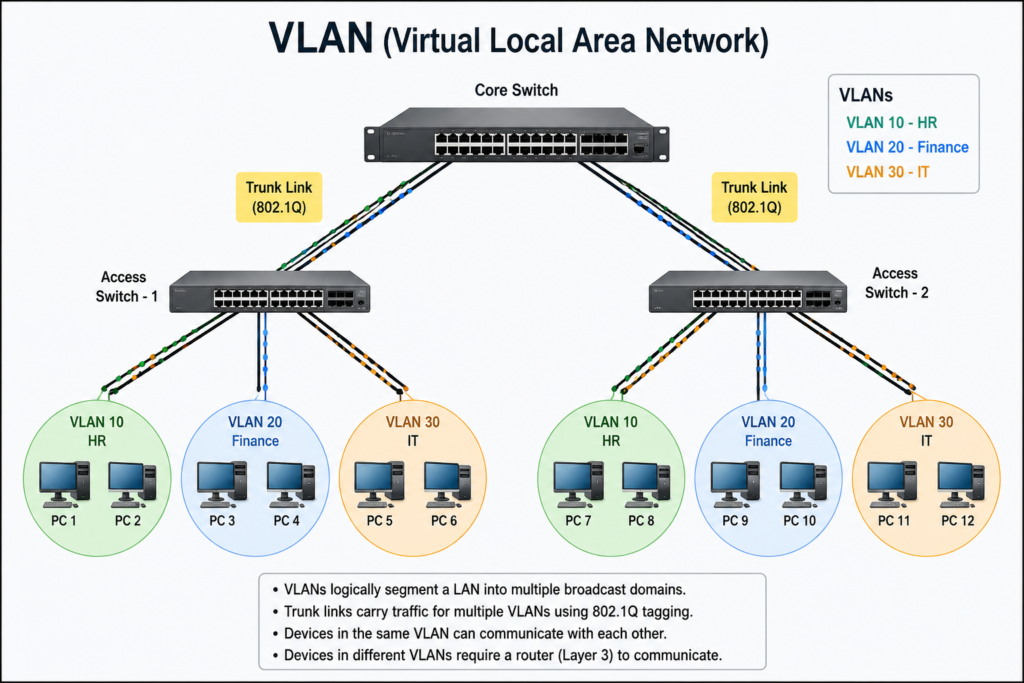
- VLAN Support (in managed switches) – Logical network segmentation possible है।
- Improved Security – Unauthorized access को control किया जा सकता है।
आज के modern LAN network में Network Switch एक बहुत ही महत्वपूर्ण device है। यह network को fast, secure और efficient बनाता है। नीचे switch की मुख्य विशेषताओं को आसान भाषा में समझाया गया है।
- MAC Address Learning
Switch की सबसे बड़ी खासियत है कि यह automatically connected devices के MAC Address को learn करता है।
जब कोई device (जैसे PC या Printer) switch से connect होता है और data भेजता है, तो switch उस device का MAC address अपनी MAC Address Table में store कर लेता है।
इससे अगली बार data भेजते समय switch को पता होता है कि कौन-सा device किस port पर connected है।
👉 इसका फायदा यह है कि data सही device तक जल्दी और directly पहुँचता है।
- Full Duplex Communication
Switch full duplex mode में काम करता है।
इसका मतलब है कि data एक ही समय में send और receive दोनों हो सकता है।
Example:
अगर PC server को data भेज रहा है, तो उसी समय server भी PC को data भेज सकता है।
इससे network speed और performance बेहतर हो जाती है।
- Collision Free Communication
पुराने hub में data collision की समस्या होती थी, लेकिन switch में हर port एक अलग collision domain होता है।
मतलब:
एक port पर data collision हो भी जाए तो उसका असर दूसरे ports पर नहीं पड़ेगा।
इससे network stable और reliable बनता है।
- High Speed Data Transfer
Switch high-speed communication support करता है जैसे:
- Fast Ethernet (100 Mbps)
- Gigabit Ethernet (1 Gbps)
- 10 Gigabit Ethernet
High bandwidth होने की वजह से large files, video conferencing और cloud applications smoothly चलती हैं।
- VLAN Support (Managed Switch में)
Managed switch में VLAN (Virtual Local Area Network) की सुविधा होती है।
VLAN की मदद से एक ही physical network को logically अलग-अलग parts में divide किया जा सकता है।
Example:
- Accounts Department
- HR Department
- IT Department
इन सबको अलग VLAN में रखा जा सकता है ताकि security और traffic control बेहतर हो सके।
- Improved Security
Switch network security को बेहतर बनाता है।
Managed switches में features मिलते हैं जैसे:
- Port Security
- Access Control
- MAC Filtering
इनकी मदद से unauthorized devices को network में access नहीं दिया जाता।
👉 इससे data सुरक्षित रहता है और cyber threats कम होते हैं।
Switch Working: Frame Forwarding Logic
जब कोई device data भेजता है, तो वह data एक Frame के रूप में switch तक पहुँचता है। Switch उस frame को analyze करता है।
Switch मुख्य रूप से तीन methods से forwarding करता है:
- Store and Forward – पूरा frame receive करके error check करता है, फिर forward करता है।
- Cut Through – Destination MAC read करते ही तुरंत forward कर देता है (low latency)।
- Fragment Free – पहले 64 bytes check करता है फिर forward करता है।
Frame Forwarding Logic के Steps
Switch का working process step-by-step:
Step 1: Frame Receive
Switch frame receive करता है किसी एक port से।
Step 2: Source MAC Address Learning
Switch frame के source MAC address को अपनी MAC Address Table में store करता है।
Step 3: Destination MAC Check
Switch destination MAC address को MAC table में search करता है।
Step 4: Forward or Flood
- अगर MAC address table में मिल जाता है → frame को उसी specific port पर भेज देता है।
- अगर नहीं मिलता → frame को सभी ports पर broadcast करता है (except incoming port)।
Step 5: Table Update
Time के साथ switch अपनी MAC table को update करता रहता है (aging process)।
Switch Types: Managed and Unmanaged Switch
- Unmanaged Switch
- Simple plug-and-play device
- Configuration की जरूरत नहीं
- Small office या home network के लिए best
- Cost कम होता है
- Managed Switch
- Configuration possible (VLAN, QoS, Port Security)
- Monitoring और troubleshooting features
- Large enterprise networks में use होता है
- Remote management possible
👉 Managed switch enterprise level networks में ज्यादा powerful और secure होता है।
Types of Network Switch
Network Switch LAN (Local Area Network) का एक important device है जो multiple devices को connect करता है। अलग-अलग network requirement के अनुसार switch के कई types होते हैं। नीचे हम मुख्य प्रकारों को आसान भाषा में समझेंगे।
Unmanaged Switch
यह सबसे simple type का switch होता है।
मुख्य विशेषताएं:
- Plug and Play device
- किसी configuration की जरूरत नहीं
- Small office या home network के लिए best
- Low cost
यह switch automatically devices को connect करता है और basic data forwarding करता है। Monitoring या security control की सुविधा नहीं होती।
Managed Switch
यह advanced type का switch होता है जो enterprise network में use किया जाता है।
Features:
- VLAN configuration
- QoS (Quality of Service)
- Port Security
- SNMP Monitoring
- Remote Management
Managed switch administrator को पूरा control देता है। Large companies और data centers में इसका ज्यादा उपयोग होता है।
Smart Switch (Semi-Managed Switch)
यह unmanaged और managed switch के बीच का option है।
मुख्य बातें:
- Limited configuration options
- Basic VLAN support
- Affordable price
- Small to medium business के लिए suitable
यह उन लोगों के लिए अच्छा है जिन्हें basic control चाहिए लेकिन full managed switch की जरूरत नहीं।
Layer 2 Switch
यह switch OSI Model के Data Link Layer (Layer 2) पर काम करता है।
- MAC Address के आधार पर frame forward करता है
- LAN environment में सबसे common type
- Fast switching performance
अधिकतर traditional switches Layer 2 switches होते हैं।
Layer 3 Switch
यह switch Layer 2 + Layer 3 (Network Layer) दोनों पर काम करता है।
- Routing capability होती है
- IP Address के आधार पर packet forwarding
- Inter-VLAN Routing support
Enterprise networks में high performance routing के लिए use किया जाता है।
PoE Switch (Power over Ethernet Switch)
PoE switch network cable के जरिए data के साथ-साथ power भी supply करता है।
Use Cases:
- IP Camera
- Wireless Access Point
- IP Phone
इससे अलग power cable की जरूरत नहीं पड़ती।
Stackable Switch
- Multiple switches को एक साथ stack करके single logical switch की तरह use किया जाता है
- Easy management
- Large enterprise networks में useful
Modular Switch
- High-end enterprise solution
- Modules add/remove कर सकते हैं (ports, power supply, etc.)
- Data centers में ज्यादा उपयोग
Switch Benefits in LAN
LAN (Local Area Network) में Switch का उपयोग करने से network performance, security और reliability काफी improve हो जाती है। नीचे हर benefit को आसान और practical language में समझाया गया है।
- High Performance Network – Fast data transmission
- Reduced Network Congestion – Traffic control better होता है
- Better Security – VLAN और port security से protection
- Scalability – Easily more devices add कर सकते हैं
- Reliable Communication – Less packet loss
- High Performance Network – Fast Data Transmission
Switch intelligent device होता है जो data को सीधे destination device तक भेजता है।
Hub की तरह सभी devices को broadcast नहीं करता।
आपकी आवाज भी अब सुरक्षित नहीं! Voice Cloning और AI Voice Scam की पूरी सच्चाई
इससे:
- Data transfer speed बढ़ती है
- Bandwidth efficient तरीके से use होती है
- Full duplex communication possible होता है (send और receive एक साथ)
👉 Result: Network fast और smooth चलता है।
- Reduced Network Congestion – Better Traffic Control
Switch हर port को अलग collision domain बनाता है।
मतलब एक port का traffic दूसरे port को disturb नहीं करता।
जब unnecessary broadcasting कम होती है, तो:
- Network congestion कम होता है
- Packet collision almost zero हो जाता है
- Overall performance stable रहती है
👉 Office environment में multiple users होने पर भी network hang नहीं होता।
- Better Security – VLAN और Port Security से Protection
Managed Switch में VLAN (Virtual LAN) create किया जा सकता है।
Example:
- HR department अलग VLAN में
- Accounts अलग VLAN में
- IT team अलग VLAN में
इससे unauthorized access कम होता है।
Port security feature से:
- Specific MAC address ही connect हो सकता है
- Unknown device automatically block हो सकता है
👉 Sensitive data ज्यादा secure रहता है।
- Scalability – Easily More Devices Add कर सकते हैं
Switch scalable device है।
आप future में:
- Extra computers
- Printers
- IP phones
- Access points
आसानी से add कर सकते हैं।
Enterprise networks में stackable switches use करके network easily expand किया जा सकता है।
👉 Business grow होने पर network upgrade करना आसान होता है।
- Reliable Communication – Less Packet Loss
Switch data को check करके forward करता है (Store and Forward method)।
इससे:
- Error detection possible होता है
- Packet loss कम होता है
- Stable communication मिलती है
Result:
Video calls, file transfer और server access smooth रहता है।